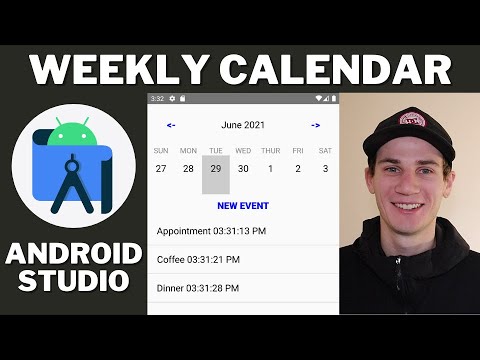
I need to build a calendar interface for my Android application that mimics the layout behavior found in popular calendar apps.
The main challenge I’m facing is creating a dual-column layout where the left side shows dates and stays fixed in position, while the right side contains events that can scroll independently. When users scroll through the events on the right, I want the date column on the left to automatically update and move to show the corresponding day.
I’ve looked into several existing solutions for sticky headers, but they all seem to focus on full-width headers that span across the entire screen width, similar to social media feed layouts. What I need is different - a split layout where only the right portion scrolls while the left portion remains stationary but updates its content based on the scroll position.
I’m wondering if there are any specialized libraries designed for this specific calendar-style layout, or if anyone has suggestions for implementing this behavior from the ground up using standard Android components like RecyclerView or custom view combinations.
Been down this road with a project management app. RecyclerView works but gets messy quick.
I built a custom ViewGroup that handles layout and scroll coordination internally. Date column stays fixed as a child view, RecyclerView handles the events on the right.
Key trick: use OnScrollListener to track first visible item position and offset. Map that to your date data and update the left column. I kept a simple array mapping event positions to dates.
Don’t animate date updates during scroll - just snap them instantly or you get weird lag that feels janky.
This tutorial covers the basics well:
Performance is solid once you cache date calculations. Way better than syncing two separate scroll views - they always fight each other.
Why build this from scratch when there’s a better way?
Had this same problem at work for a resource planning view. Wasted weeks on RecyclerViews and custom layouts. Complete nightmare.
Automation’s the real fix. Build a workflow that handles scroll sync and date mapping automatically. App detects scroll events, triggers automation that calculates positions and updates the UI.
I use Latenode for workflows that monitor UI events and respond instantly. Build logic that tracks scroll positions, maps them to dates, and updates your fixed column. No performance issues.
You’re not fighting Android’s scroll mechanics anymore. Automation handles coordination, views do their job.
No dual RecyclerView mess or custom ViewGroups. Clean separation between UI and driving logic.
just use constraintlayout - fixed left view with your scrollable content in a nestedscrollview on the right. track scroll events to update the left side. way simpler than dual recyclerview and no performance headaches. works great, used it in my scheduling app.
I solved this with CoordinatorLayout and a custom Behavior. It’s cleaner than the RecyclerView solutions mentioned above. Make your fixed date column a regular View, wrap the events in a RecyclerView, then create a custom CoordinatorLayout.Behavior that watches the RecyclerView’s scroll. The behavior grabs scroll events and updates your date column. This beats dual-RecyclerView setups because CoordinatorLayout handles view coordination natively - no sync headaches. I use a HashMap that links scroll positions to date ranges, populated during data binding. Watch out for fast fling scrolls though. Cache your position calculations and use ViewTreeObserver for accurate measurements after layout changes.
I built something like this last year using two synchronized RecyclerViews. Here’s what worked for me: Override the scroll listener on your events RecyclerView and calculate which date to show based on scroll position. Then programmatically scroll the left date column to match. The tricky part is getting the math right. I used item positions and heights to calculate offsets, then mapped those to specific dates. Make sure you disable touch scrolling on the left RecyclerView or you’ll get conflicts. Couple things that bit me: different screen densities mess with the calculations, and performance tanks during fast scrolling. Add some debouncing to your scroll listener so you’re not constantly updating the date column.