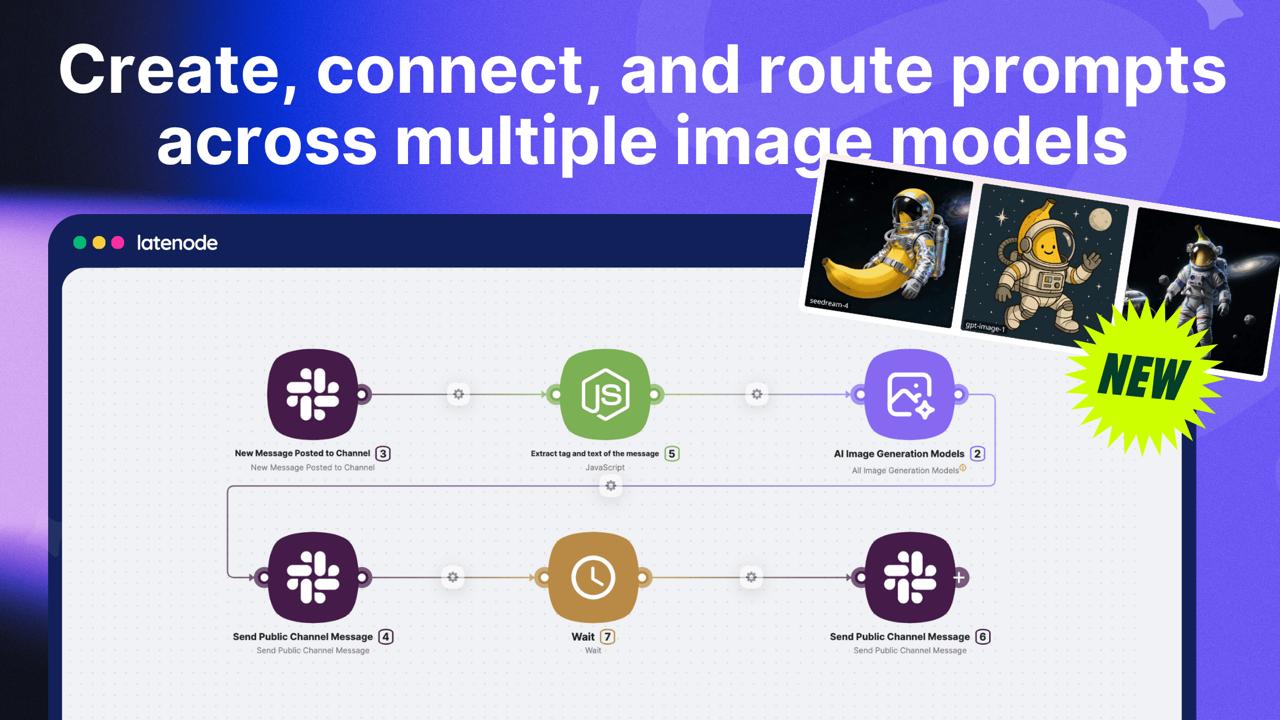
Generate Stunning Images at Scale with the AI Image Generation Router Node 🚀

The AI Image Generation Router Node allows you to connect and route image prompts through multiple AI image providers - ensuring reliability, scalability, and the best visual results possible.

Whether you use Nano Banana, Grok, OpenAI’s DALL·E or Midjourney, the router lets your workflows dynamically switch between providers, optimize results, and eliminate downtime.

Create, route, and scale AI image generation - all within Latenode.

:light_bulb: Use Cases

  • Content Marketing Automations

    Generate banners, thumbnails, or social visuals automatically for every campaign, post, or product launch.

  • E-commerce Product Image Generator

    Create custom product mockups and lifestyle images based on metadata or text prompts from your store.

  • Design at Scale

    Empower your creative team with workflows that route prompts through multiple AI providers for the best-quality images.

  • Creative Backup & Failover

    If one model API is down or limited, the router automatically reroutes to another image engine - keeping your automation running smoothly.


:open_file_folder: Try Ready-to-Use AI Image Generator Template

We’ve built a ready-to-use AI Image Generator template to show how the Image Router Node can generate, optimize, and deliver visuals automatically.
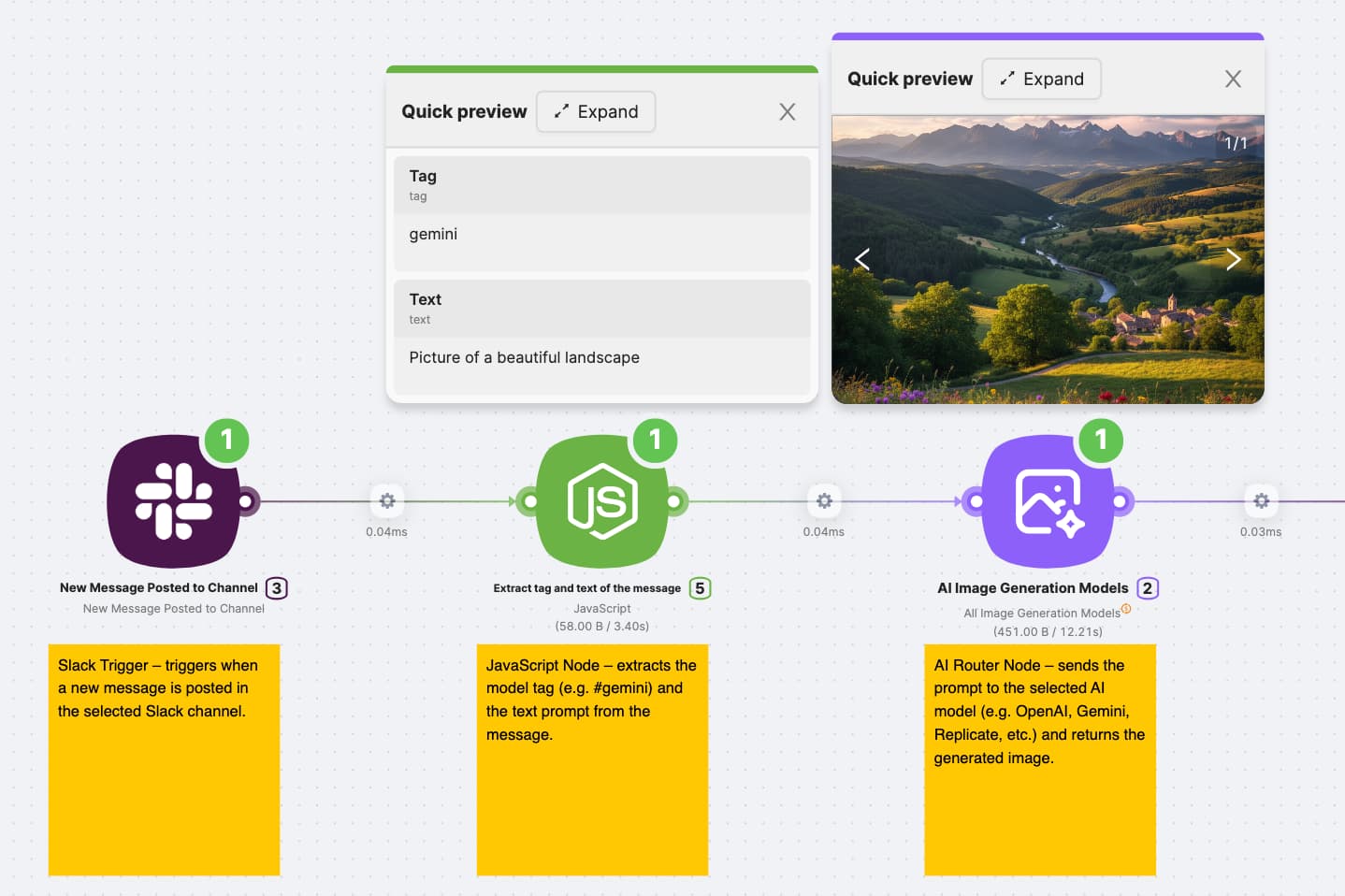
What’s inside the template?

  • Input → Prompt text or campaign data (e.g., product name, style, theme)
  • Automation → AI Image Generation Router Node routes prompts to selected model
  • Output → Image is generated, stored, and delivered to your Slack channel

:backhand_index_pointing_right: Try the Template Now


:movie_camera: Watch the Demo

See how the AI Image Generation Router makes your creative workflows faster and more reliable - by routing prompts through multiple image providers.

:backhand_index_pointing_right: Watch Demo


:white_check_mark: Start Using the AI Image Generation Router Node Today

  • Connect multiple AI image providers in one node
  • Ensure reliability and scalability for image generation
  • Deliver consistent visual output across all automations

:backhand_index_pointing_right: Try the Template Now

1 Like

When building high-volume visual automation workflows or experimenting with dynamic image generation nodes, creators can easily elevate their visual outcomes by exploring creative AI photo editing ideas to refine prompts and achieve striking multi-model results.

That’s an interesting point! AI image generation and automation can work really well together. The right prompts and creative experimentation can make a big difference in the final results. It’s exciting to see how these tools are opening up new possibilities for creators!

One practical consideration when routing the same prompt across DALL·E, Midjourney, Grok, and other providers: their prompt syntax, aspect-ratio controls, safety filters, and output formats differ. Normalizing the prompt and requested dimensions before routing, then logging which provider/model produced each image, makes results easier to reproduce and compare—especially for failover. A small provider-capability map in the workflow can prevent unsupported options from being sent to the wrong engine.

When building automated workflows that fetch external data or trigger actions at scheduled intervals—such as checking daily Nagaland and Sikkim State Lottery draws—developers often need reliable endpoints to parse structured numbers, series codes, and multi-tier prize sheets without manual scraping. Integrating a RESTful JSON feed or a dedicated Dear Lottery Ticket Checker alongside automated routing nodes allows builders to normalize incoming draw schedules, validate user-submitted ticket numbers against historical archives, and deliver instant verification alerts across chat or web interfaces.