I am quite new to JavaScript and am learning fast, as I am more acquainted with R. I’m trying to use an API to update an AirTable, but I have encountered an issue regarding accessing ‘votes.’ My goal is to automatically get the latest vote for each bill, which corresponds to the last object in the ‘votes’ array.
Here is the code I have so far (I’ve redacted my API key for privacy):
// API setup
let apiKey = '(insert your API token here)'
let billTable = base.getTable('Test Bills')
let { records } = await billTable.selectRecordsAsync()

// Logging records to console for verification
console.log(records)

// Iterating through the records
for (let record of records) {
    let billData = await remoteFetchAsync(`https://api.legiscan.com/?key=${apiKey}&op=getBill&id=${record.name}`)
    let jsonData = await billData.json()

    console.log(jsonData.bill)

    // Trying to find the most recent vote
    const latestVote = jsonData.votes[jsonData.votes.length - 1]
}
After spending a few days attempting to resolve this, I have two primary questions:
How can I correctly set a variable for the latest vote using the length property?
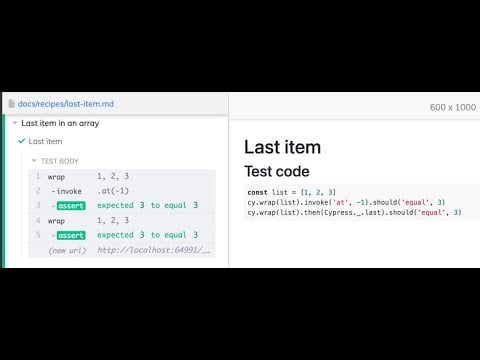
Is there a more effective method to retrieve the last object in an array?
I am receiving the following error:
TypeError: Cannot read properties of undefined (reading 'length')
I’ve dealt with similar API response structures before. The data is usually nested deeper than you expect. Add console.log(jsonData.bill.votes) right before your array access to see what you’re actually working with.
For getting the last item, using array.length - 1 is the standard approach. Some people prefer array.at(-1) but browser support varies in older environments.
Based on your error message, the issue stems from trying to access the length property on something that doesn’t exist. The structure you’re logging shows jsonData.bill, but then you’re trying to access jsonData.votes directly - this mismatch is causing the undefined error.
I ran into this exact problem when working with nested API responses in my own Airtable scripts. The key is defensive programming. Before accessing any nested property, validate the entire chain exists:
if (jsonData && jsonData.bill && jsonData.bill.votes && Array.isArray(jsonData.bill.votes) && jsonData.bill.votes.length > 0) {
    const latestVote = jsonData.bill.votes[jsonData.bill.votes.length - 1]
    console.log('Latest vote:', latestVote)
} else {
    console.log('No votes found for this bill')
}
The Array.isArray() check is crucial because sometimes APIs return empty objects instead of empty arrays. I learned this the hard way after my script broke on edge cases. Also consider that some bills might not have any votes at all, so handling that scenario gracefully will make your script more robust for production use.
Check your API response structure more carefully. The error suggests jsonData.votes doesn’t exist, but you’re logging jsonData.bill which indicates the votes array is probably nested under the bill property.
I’ve worked with similar legislative APIs and they typically return deeply nested objects. Try adding console.log(typeof jsonData.bill.votes) and console.log(jsonData.bill.votes?.length) to debug exactly what you’re receiving.
Using optional chaining (?.) prevents the TypeError when properties don’t exist. This approach has saved me countless debugging sessions when working with inconsistent API responses.
Alternatively, some APIs return votes as an object with numbered keys rather than an array. If that’s the case, you’d need Object.values(jsonData.bill.votes).pop() to get the last item. Always verify the data structure first through console logging before writing access logic.