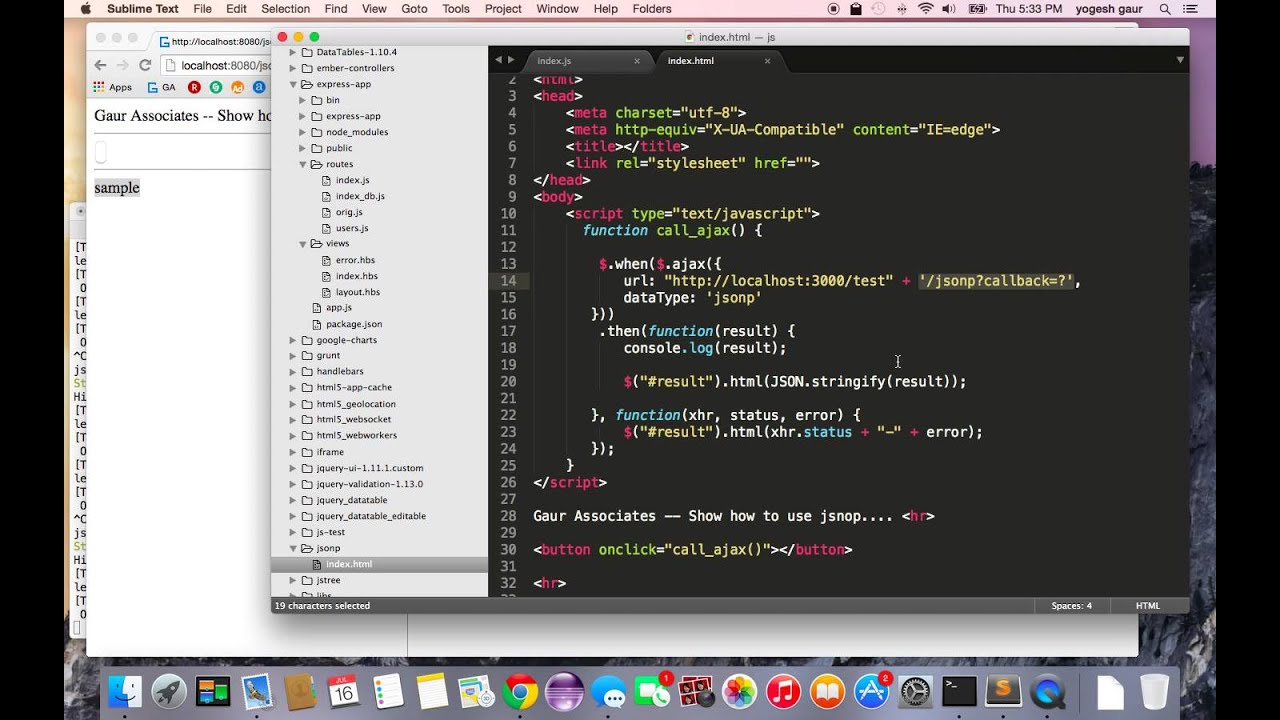
I’m struggling to get my JSONP request working properly with jQuery’s $.ajax() method. When I click the button, nothing happens and the success callback never executes. Here’s what I’m trying to do:
The #load_posts is attached to a button element and #content_area is an empty container div. I know I could use $.getJSON() instead, but I specifically need to understand how to make $.ajax() work with JSONP data. The click event fires but no data gets displayed.
The API endpoint probably doesn’t support JSONP callbacks. When you set dataType: 'jsonp', jQuery adds a callback parameter to your URL, but if the server can’t handle JSONP requests, it just returns regular JSON without the callback wrapper. This makes the request fail silently since the browser can’t execute plain JSON as JSONP. I’ve hit this same issue with REST APIs that only return plain JSON. Check your browser’s network tab - look at the request URL to see if jQuery added something like ?callback=jQuery123456. Then check if the response is wrapped in a function call or just plain JSON. If it’s plain JSON, that’s your problem. You’ll need to find a JSONP-enabled endpoint or use a server-side proxy for the cross-origin request.
I ditched JSONP headaches years ago when I found automation could handle cross-origin stuff for me.
Your code looks good, but the API probably doesn’t support JSONP callbacks. Instead of debugging server configs or hunting CORS headers, I route these requests through an automation platform.
I set up a simple workflow that fetches data from any API (even without JSONP support) and serves it back to my frontend with proper callback wrapping. Takes 5 minutes to configure, then I’m done with cross-origin issues.
The workflow grabs data from your API endpoint, processes it however you need, and delivers it back to your jQuery code exactly how you expect. No more network tab checking or callback parameter debugging.
I use this for all my projects now because it kills the guesswork. Your frontend stays clean and simple while automation handles the backend complexity.
Check out Latenode for setting this up - it’s perfect for API integration challenges: https://latenode.com
Been debugging JSONP issues for years and there’s one thing that trips up most developers - the API server needs to actually support JSONP.
Your code looks fine, but I’m betting the server at http://api.example.com doesn’t implement JSONP callbacks. When jQuery sees dataType: 'jsonp', it automatically appends a callback parameter to your URL. So your request becomes http://api.example.com/posts.json?user=testuser&callback=jQuery12345.
The server needs to recognize that callback parameter and wrap the JSON response in a function call. If it just returns plain JSON, your browser can’t execute it as JSONP and the success callback never fires.
I test this by hitting the URL directly with a manual callback parameter like ?callback=test. If you get back test({"data":"here"}) instead of just {"data":"here"}, JSONP works. If not, you need a different approach.
This video explains the whole JSONP flow if you want to see it in action:
Most modern APIs skip JSONP and use CORS headers instead. Check if your API supports that - it’s usually better anyway.
Double-check your callback parameter name. Most APIs don’t use jQuery’s default ‘callback’ - they want ‘jsonp’ or ‘cb’ instead. Set it with jsonpCallback or jsonp options in your ajax call. Also verify your URL isn’t wrong - I’ve burned hours debugging typos in endpoints.