Transforming Webhook Messages into Discord Embedded Format from Airtable via Zapier

Overview

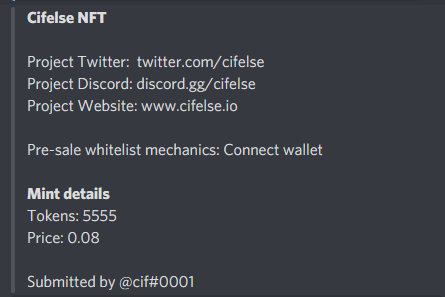
I’m quite new to using Airtable, Discord Webhooks, and Zapier. Currently, I have an Airtable form designed to gather inputs, and I want to display these inputs in one of the text channels on my Discord server.

Current Progress

I’ve successfully set up the connection using Zapier to link Airtable to Discord, and it looks something like this:

(I can’t upload images yet, hope you understand)

Desired Outcome

My goal is to format this information as an embedded message, similar to this example:

(I apologize for sharing just a link)

Help Required

How can I accomplish the transformation into an embedded message format?

Hit this same issue last week! Skip Discord’s built-in integration and use Zapier’s webhook action instead. Set up a POST request to your Discord webhook URL with content-type application/json, then drop your embed JSON structure in the body. Way more flexible than the basic Discord action, and it handles Airtable data perfectly.
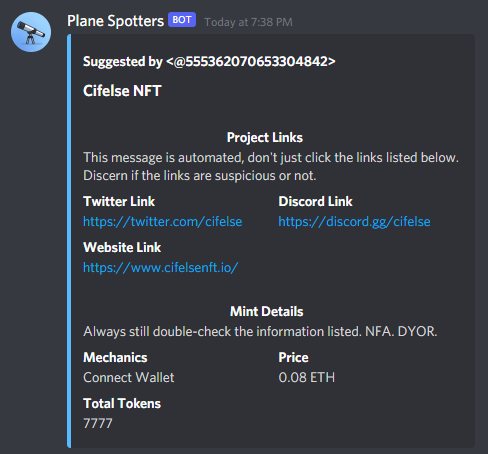
You’re sending plain text when Discord wants structured JSON for embeds.

In Zapier, switch from “Send Channel Message” to “Send Channel Message (Advanced)” or find the custom JSON option.

Format it like this:

{
  "embeds": [{
    "title": "New Form Submission",
    "color": 5814783,
    "fields": [
      {
        "name": "Field Name 1",
        "value": "{{your_airtable_field_1}}",
        "inline": true
      },
      {
        "name": "Field Name 2", 
        "value": "{{your_airtable_field_2}}",
        "inline": true
      }
    ]
  }]
}

Swap in your actual field names and map the Zapier variables from Airtable. That color value sets the embed’s left border.

Had this exact problem setting up our notifications. Took forever to figure out Zapier was just dumping text instead of proper embed formatting.

If Zapier won’t let you control the JSON structure enough, try Latenode instead. Way better for webhook customization.