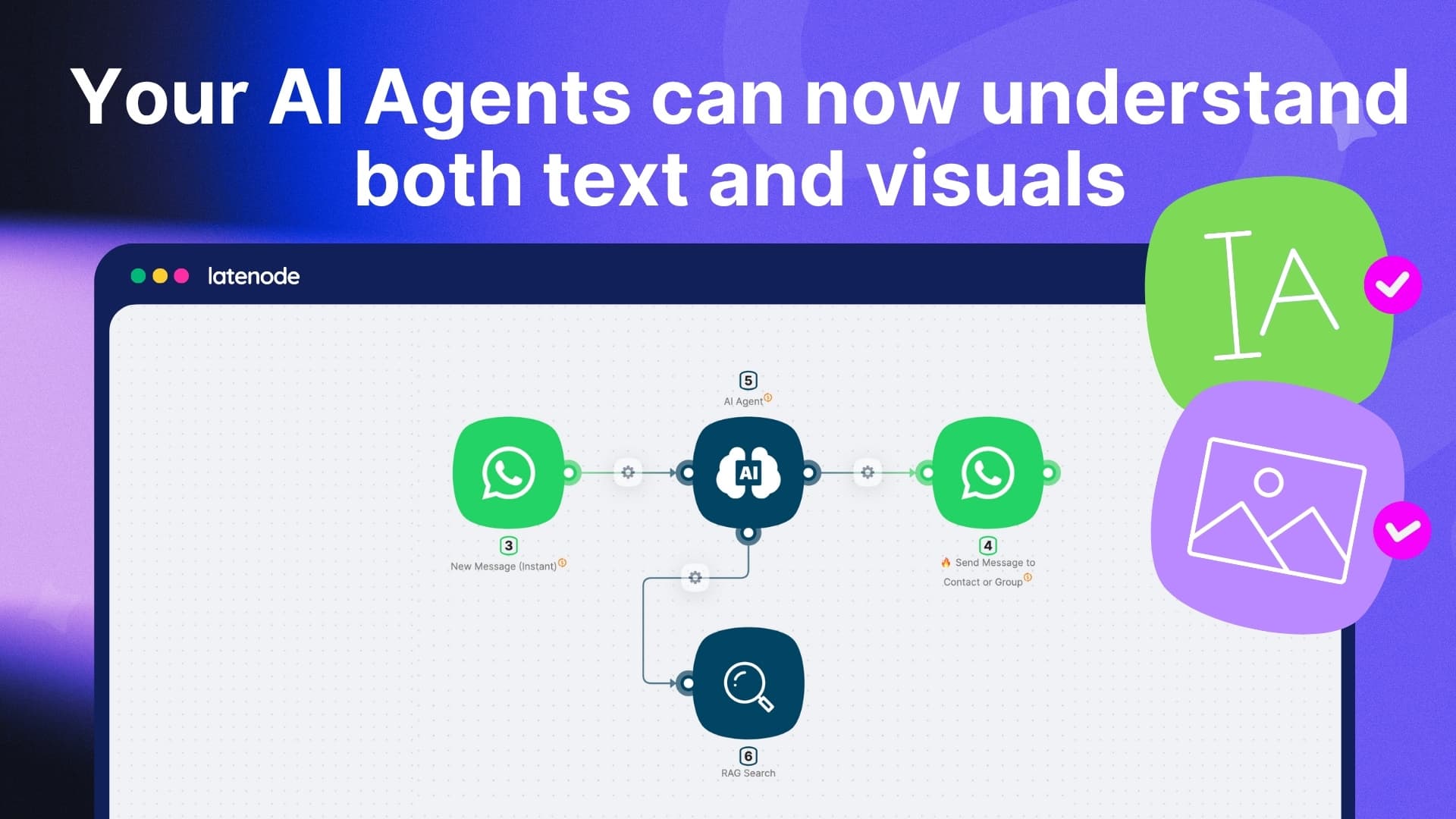
Latenode’s new Multi-Modal RAG upgrade takes Retrieval-Augmented Generation to the next level.
While a standard RAG can only vectorize and search through text, the new Multi-Modal RAG can also understand and index images inside documents - including PDFs, screenshots, and scanned pages.
Now your AI Agents can extract meaning from visuals, convert them into searchable text, and deliver complete, context-aware answers.
Multi-Modal RAG turns your entire knowledge base - text, tables, and images - into one searchable, intelligent system.
 Use Cases
-
Document Intelligence
Search across contracts, PDFs, and scanned reports - even when critical data lives inside an image or diagram.
-
Visual Knowledge Extraction
Let your agents read charts, screenshots, or infographics and retrieve insights instantly.
-
AI Support Assistant
Enable your agents to answer questions based on both written text and embedded visuals from manuals or documents.
-
Research Automation
Combine text and image understanding for richer, more accurate search in technical papers, case studies, or product documentation.
 Try Ready-to-Use AI Assistant Template
We’ve built a ready-to-use template to show how Multi-Modal RAG can analyze, store, and retrieve both text and images from your files - and answer complex questions instantly.
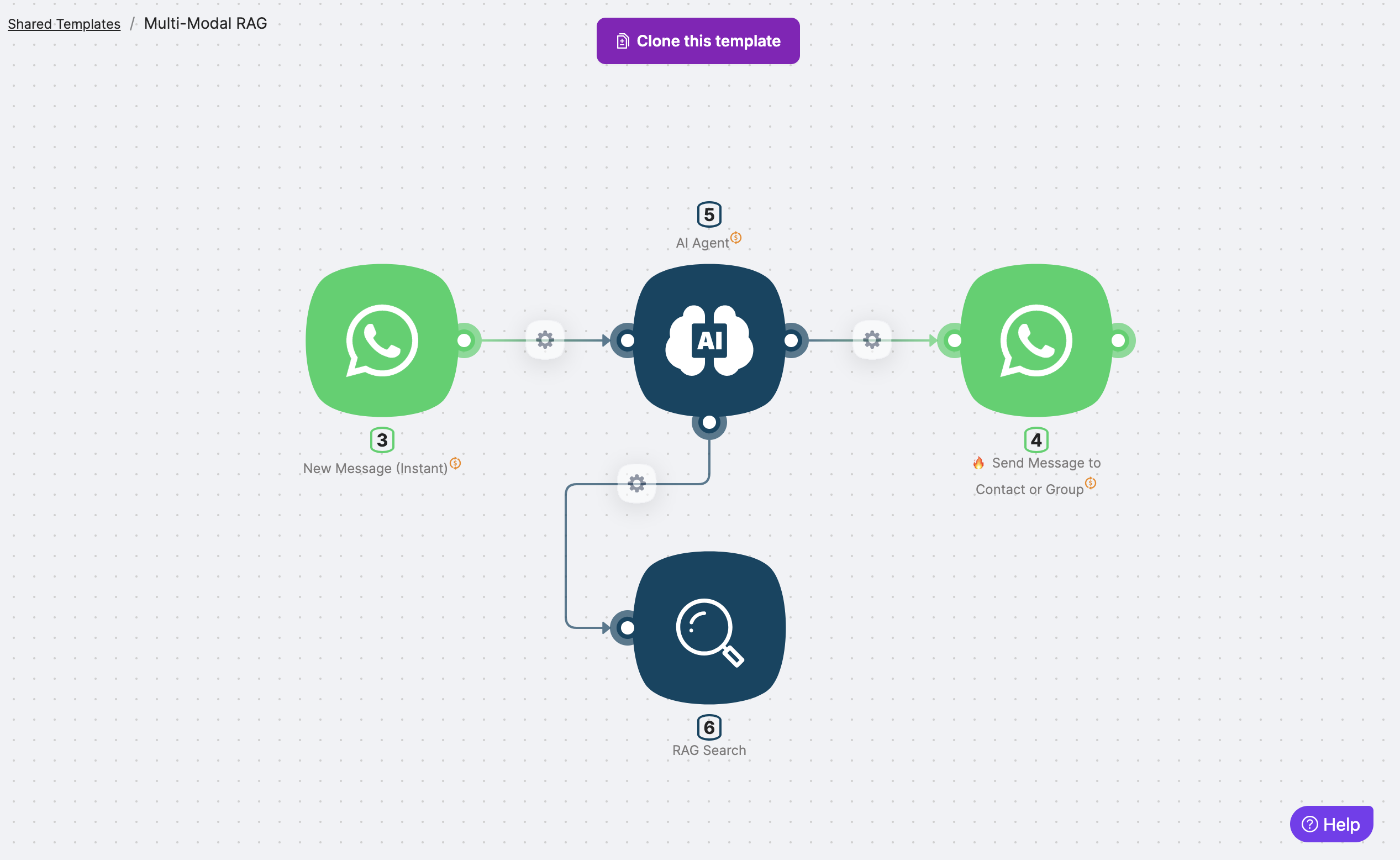
What’s inside the template?
- Input → User query from WhatsApp
- Automation → AI Agent with Multi-Modal RAG node processes both text and images
- Output → AI Agent provides full, contextual responses with visual references

 Watch the Demo
See how Multi-Modal RAG understands visuals inside documents - transforming PDFs and image-heavy files into fully searchable knowledge sources.
 Start Using Multi-Modal RAG Today
- Understand images, charts, and diagrams inside your data
- Convert visuals into searchable text automatically
- Give your AI Agents a complete view of your documents